> For the complete documentation index, see [llms.txt](https://docs.simkl.org/how-to-use-simkl/llms.txt). Markdown versions of documentation pages are available by appending `.md` to page URLs; this page is available as [Markdown](https://docs.simkl.org/how-to-use-simkl/core-features/content-tracking/tracking-content/watch-history/playback-progress-manager.md).
# Playback Progress Manager
Continue watching across devices. Clean up unfinished sessions. Stay in control.
The **Playback Progress Manager** is SIMKL’s real time hub for tracking and managing **unfinished, paused, or stopped** watches from all your connected apps (Plex, Kodi, media players, browser extensions, mobile apps, and more).
It is what powers **“Continue Watching”**, **cross-device resume**, and **unfinished episode cleanup** across the SIMKL ecosystem.
It ensures that **every pause, stop, and resume point is remembered** so you never lose your place.
{% content-ref url="/pages/6p3UrFWKCyHrOYgmv1qk" %}
[Managing Connected Services](/how-to-use-simkl/account-and-billing/account-management/managing-connected-services.md)
{% endcontent-ref %}
## Here:
## API Documentation:
***
## What is a Playback?
A **playback** is a **temporary progress record** created when you pause or stop watching a movie, TV episode, or anime **before it is finished**.
SIMKL automatically creates a playback when:
* You pause a video
* You stop watching
* You close the app
* The device disconnects
* The playback reaches **less than 80%**
This is different from your watch history:
| Watch History | Playback Progress |
| ------------------------------- | ------------------------------------- |
| Stores what you **completed** | Stores what you **paused or stopped** |
| Permanent | Temporary |
| Used for stats, lists & ratings | Used for **Continue Watching** |
| Syncs across devices | Expires after a retention period |
{% content-ref url="/pages/2xTtDYJTy9F4mk0YcUiC" %}
[My Watch History](/how-to-use-simkl/core-features/content-tracking/tracking-content/watch-history/my-watch-history.md)
{% endcontent-ref %}
If you watch **80% or more**, the item is considered **completed** and moves into your **Watch History** instead of becoming a playback.
Playback sessions store:
* The exact **percentage watched**
* **Remaining time**
* **Last watched timestamp**
* **Which app/device** reported it
They are **not part of your watchlist,** they exist only to allow **resume & cleanup**.
***
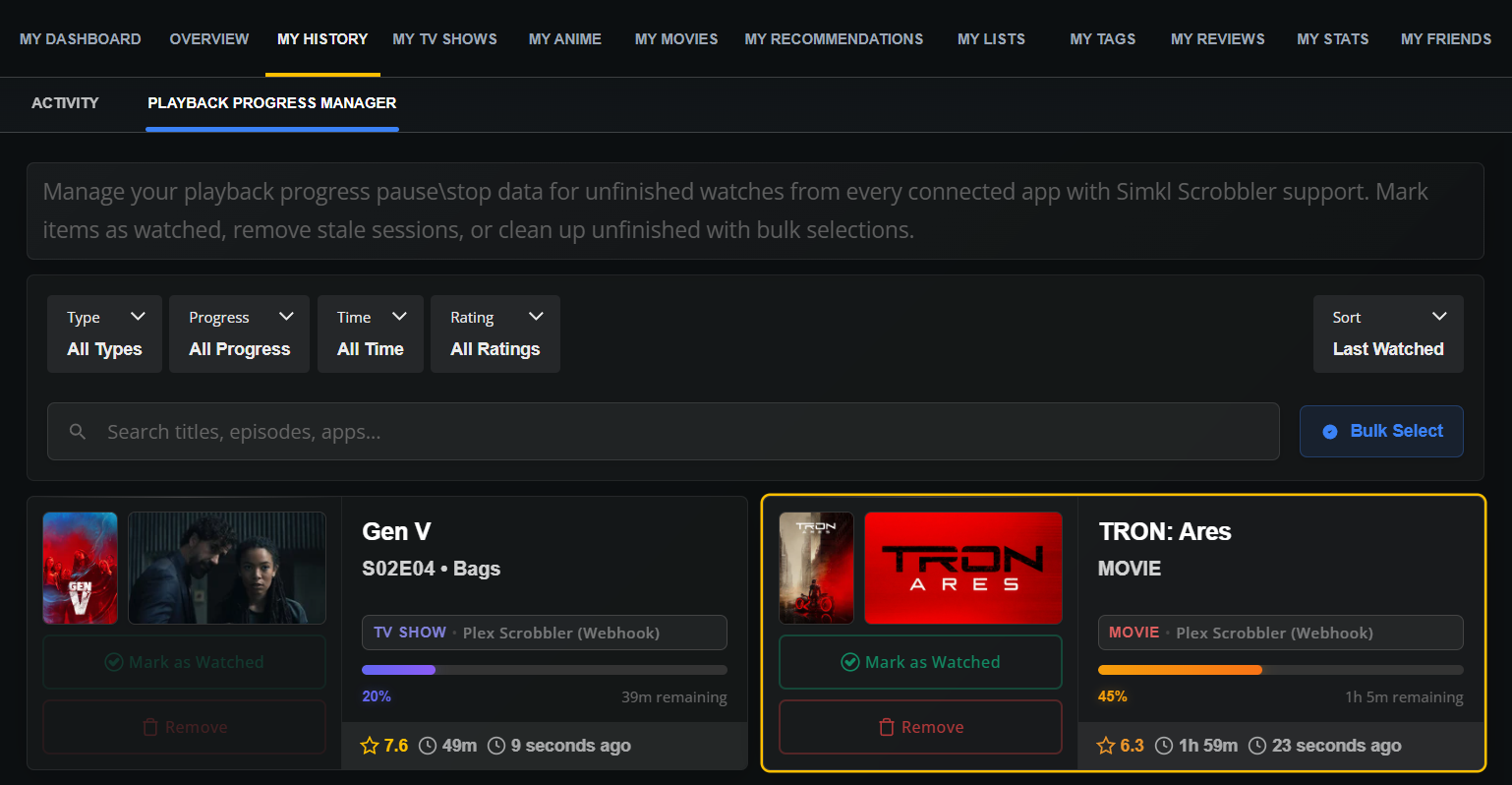
### What you see on the Playback Progress Manager
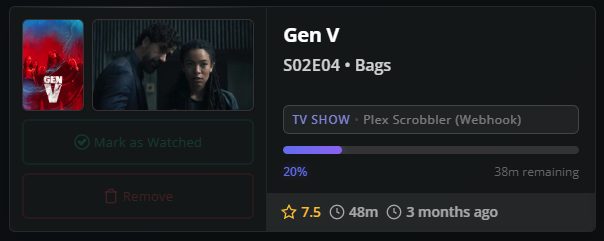
Each card shows:
* 🎞 **Title & episode**
* 📱 **Which app created it** (Plex, Kodi, etc.)
* 📊 **Progress % bar**
* ⏱ **Time remaining**
* ⭐ **Rating**
* 🕒 **When it was last updated**
You also get two powerful actions per item:
#### Mark as Watched
Instantly moves the item into your **watch history,** perfect if you finished watching elsewhere.
#### Remove
Deletes the paused session so it no longer appears in Continue Watching.
***
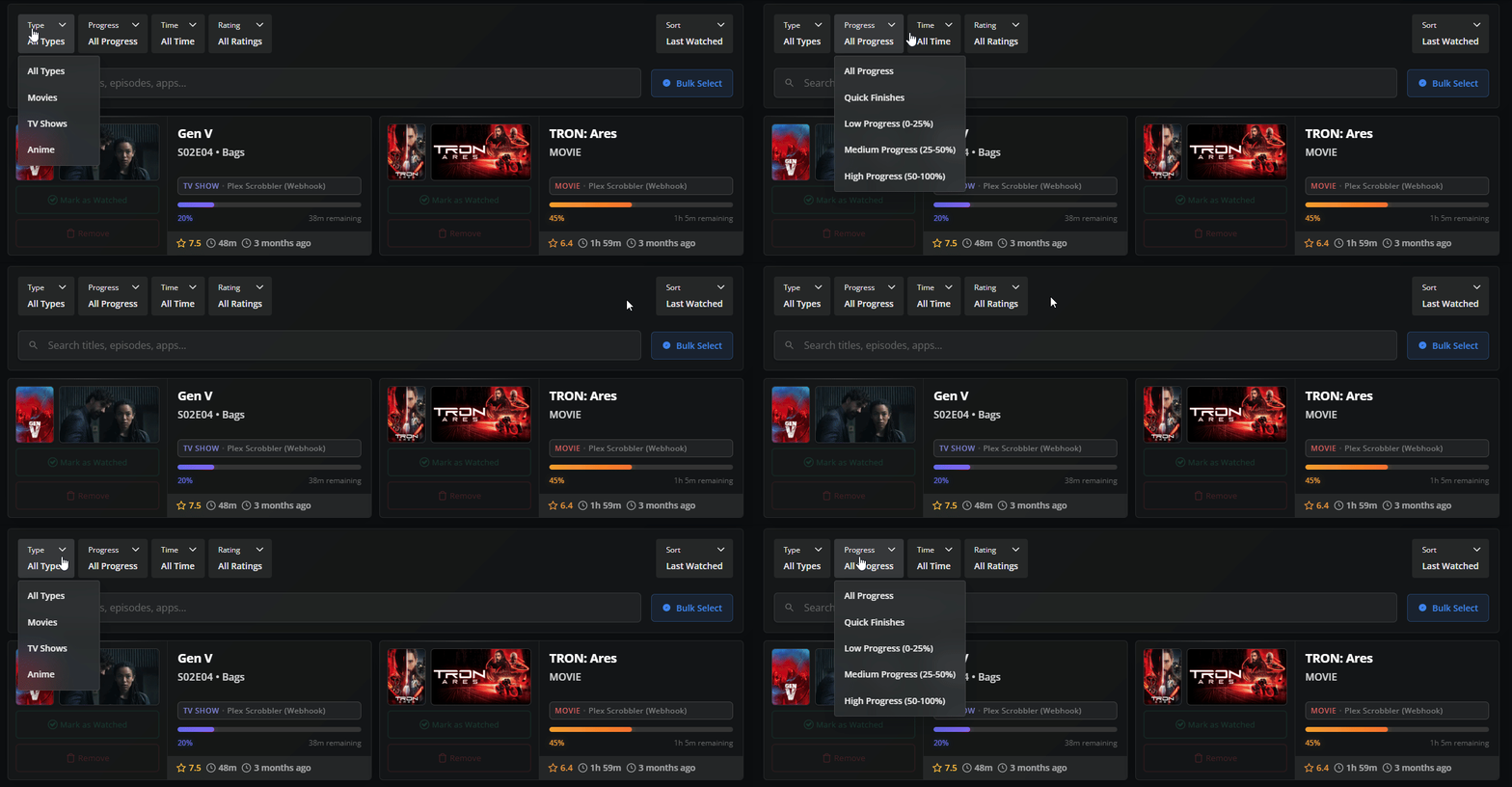
### Smart Filters & Search
At the top of the page you can filter and refine your playback list:
#### **a) Type**
Filter by:
* Movies
* TV Shows
* Anime
#### **b) Progress**
Sort items based on how far you watched:
| Option | Meaning |
| --------------- | ------------------------- |
| Low (0–25%) | You barely started |
| Medium (25–50%) | Mid-way |
| High (50–100%) | Nearly finished |
| Quick Finishes | Items close to completion |
Perfect for quickly finding:
* Things you abandoned
* Things you almost finished
#### **c) Time**
Filter by when the playback happened:
* Recent
* Last week
* Older sessions
#### **d) Rating**
Filter based on your own ratings to find:
* Things you loved
* Things you might not want to finish
#### **e) Search Bar**
Search by:
* Title
* Episode name
* App (Plex, Kodi, etc.)
This is ideal when you have many paused sessions.
***
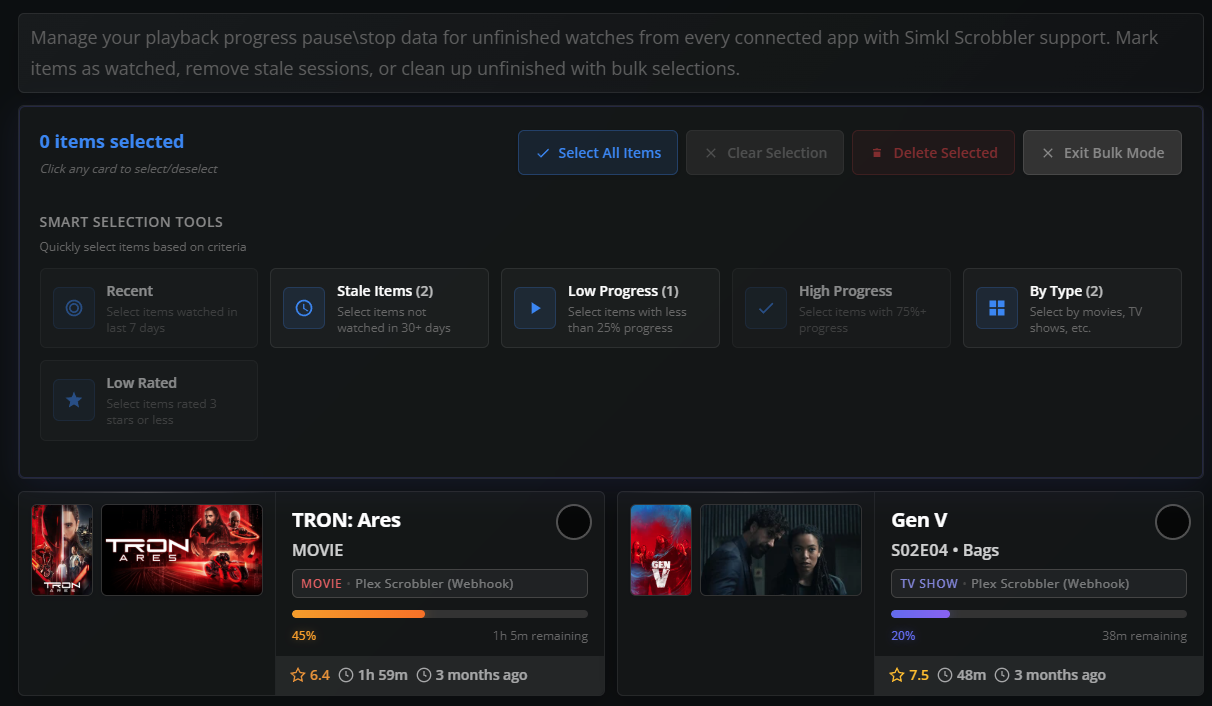
## Bulk Mode & Smart Cleanup
Click **Bulk Select** to enter mass-edit mode.
This activates:
* Selection circles on every card
* A powerful **Smart Selection Panel**
#### Smart selection tools let you instantly pick:
| Tool | What it selects |
| ------------- | ----------------------- |
| Recent | Watched recently |
| Stale Items | Not touched in 30+ days |
| Low Progress | Less than 25% watched |
| High Progress | Nearly finished |
| By Type | Movies, TV, Anime |
| Low Rated | Items you disliked |
This makes it easy to:
* Clean abandoned items
* Clear old sessions
* Mass-complete episodes you already finished elsewhere
***
## Playback Retention (Why some items disappear)
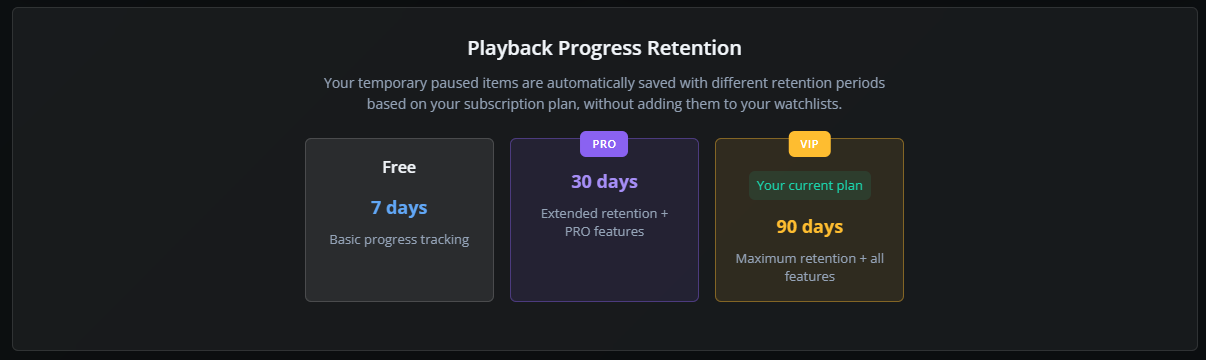
Playback sessions are **temporary by design**.\
They exist only to help you resume what you were watching.
{% content-ref url="/pages/kAi0np4ZdNtJ1l6JxKz2" %}
[Subscription Plans](/how-to-use-simkl/account-and-billing/subscription-plans.md)
{% endcontent-ref %}
How long they stay depends on your plan:
| Plan | Retention |
| ---- | --------- |
| Free | 7 days |
| PRO | 30 days |
| VIP | 90 days |
If you don’t resume, mark, or remove them before that period, SIMKL automatically cleans them up.
Your **watch history is never affected.**
### How this works across devices
Playback is powered by SIMKL’s Scrobble + Playback APIs.
That means:
* Start watching on your TV
* Pause
* Open SIMKL on your phone or PC
* Resume at the same percentage
Only **one playback session per title** is stored — always the most recent pause point.
***
## SIMKL's Playback Manager is a powerful feature!
**Playback Progress Manager is SIMKL’s safety net.**
Without Playback Progress Manager:
* You would lose pause points
* Apps wouldn’t sync
* “Continue Watching” would be unreliable
With it:
* You always know what you were watching
* You can clean, organize, and control all paused sessions
* Your watch history stays clean and accurate
It remembers every pause, lets you resume anywhere, and gives you full control over unfinished watches with powerful filters, bulk tools, and smart retention.
Whether you’re binge-watching on Plex, jumping between devices, or managing dozens of shows at once this is the engine that makes SIMKL feel seamless.
---
# Agent Instructions
This documentation is published with GitBook. GitBook is the documentation platform designed so that both humans and AI agents can read, navigate, and reason over technical content effectively. Learn more at gitbook.com.
## Querying This Documentation
If you need additional information that is not directly available in this page, you can query the documentation by asking a question.
Perform an HTTP GET request on the following URL with the `ask` and `goal` query parameters:
```
GET https://docs.simkl.org/how-to-use-simkl/core-features/content-tracking/tracking-content/watch-history/playback-progress-manager.md?ask=&goal=
```
`ask` is the immediate question: it should be specific, self-contained, and written in natural language.
`goal` is what the user is ultimately trying to achieve, the reason they need the answer. Sharing it helps GitBook give you a better, more relevant answer. A goal is most helpful when it describes the outcome the user wants rather than restating the question. For example, with `ask=how do I create an API token`, a goal like `automate deployments from our CI pipeline` lets GitBook tailor the answer to that use case.
The response will contain a direct answer to the question and relevant excerpts and sources from the documentation.
Use this mechanism when the answer is not explicitly present in the current page, you need clarification or additional context, or you want to retrieve related documentation sections.