> For the complete documentation index, see [llms.txt](https://docs.simkl.org/how-to-use-simkl/llms.txt). Markdown versions of documentation pages are available by appending `.md` to page URLs; this page is available as [Markdown](https://docs.simkl.org/how-to-use-simkl/core-features/content-tracking/tracking-content/watch-history/recently-visited.md).
# Recently Visited
Your SIMKL browsing memory (Private Browsing History)
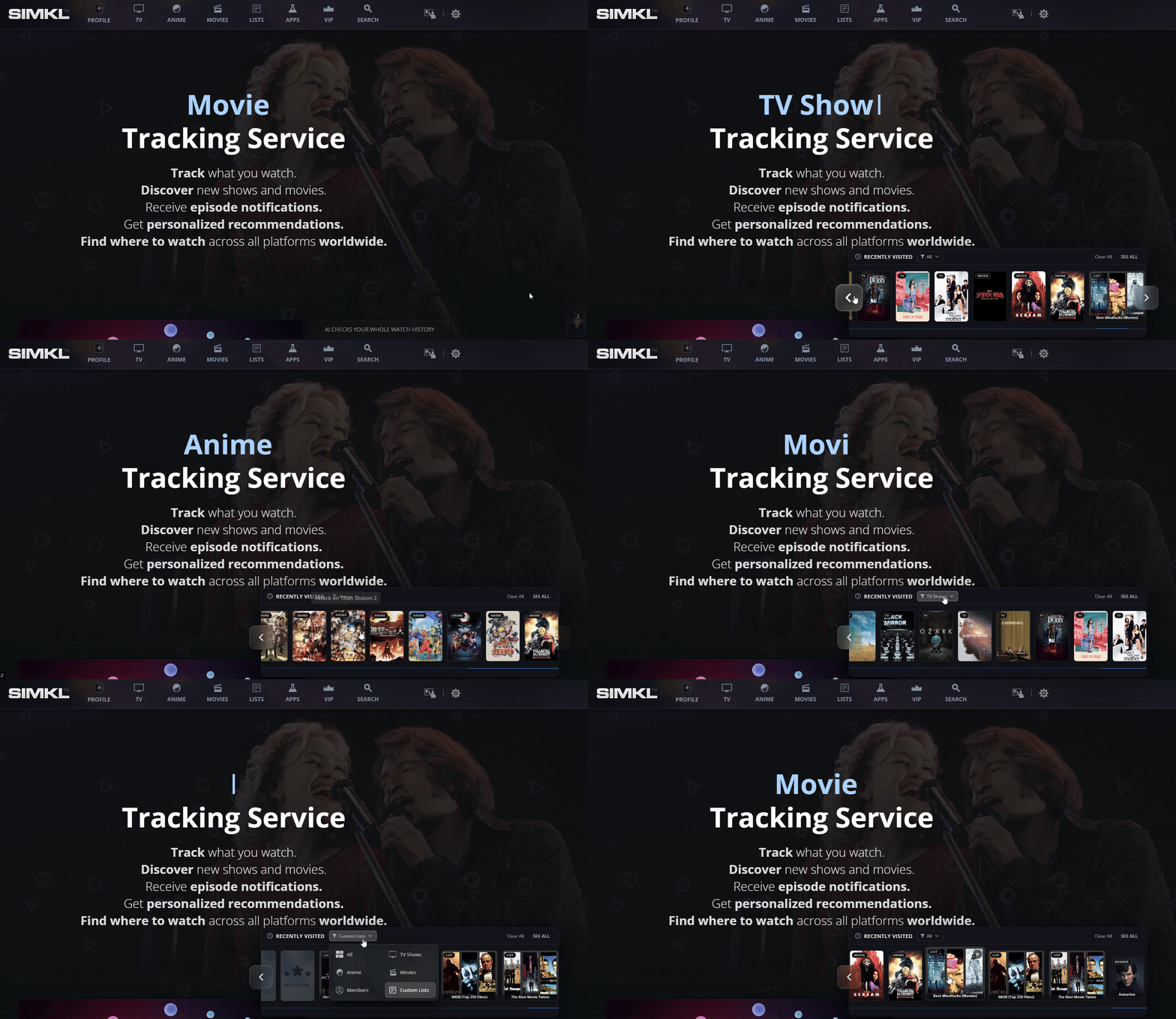
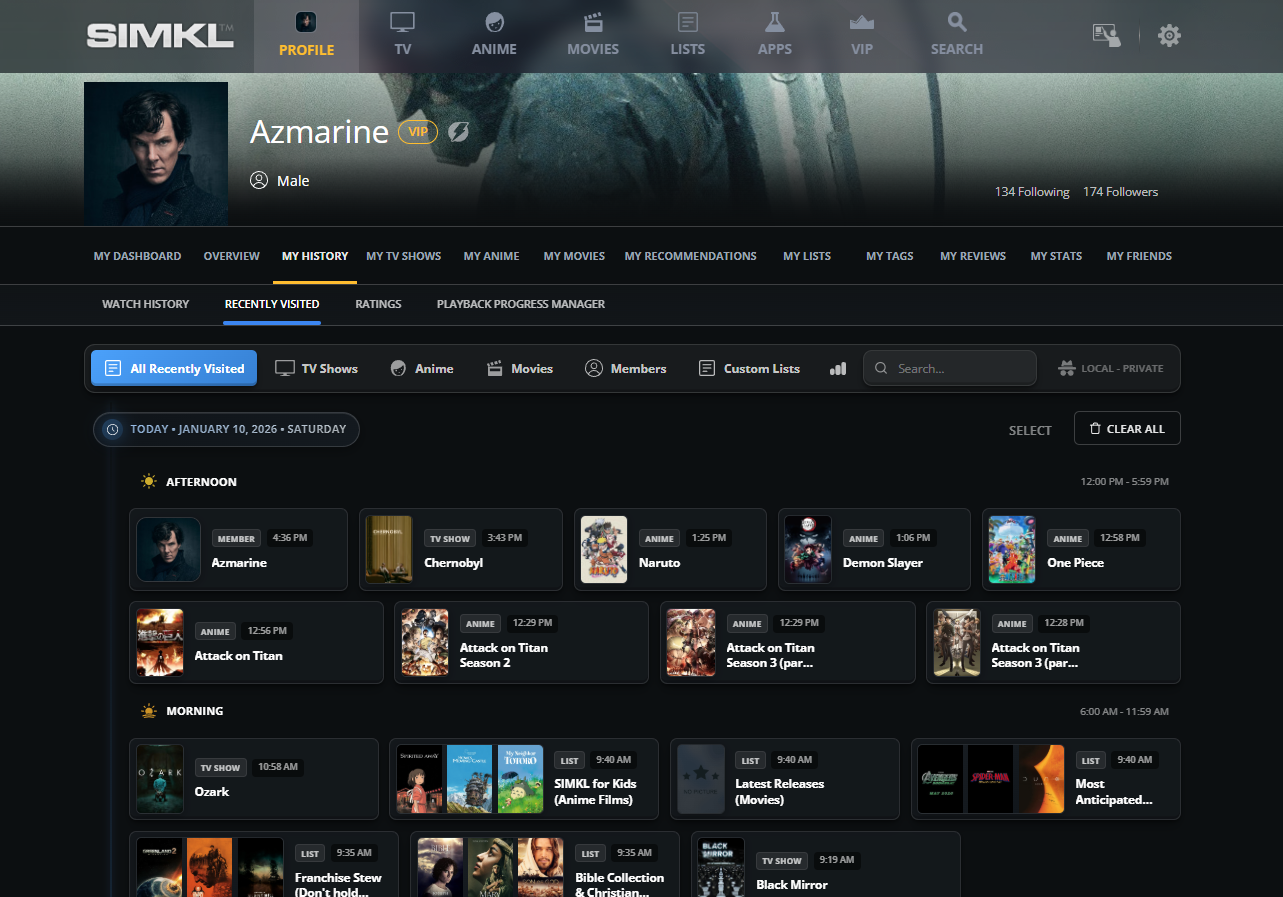
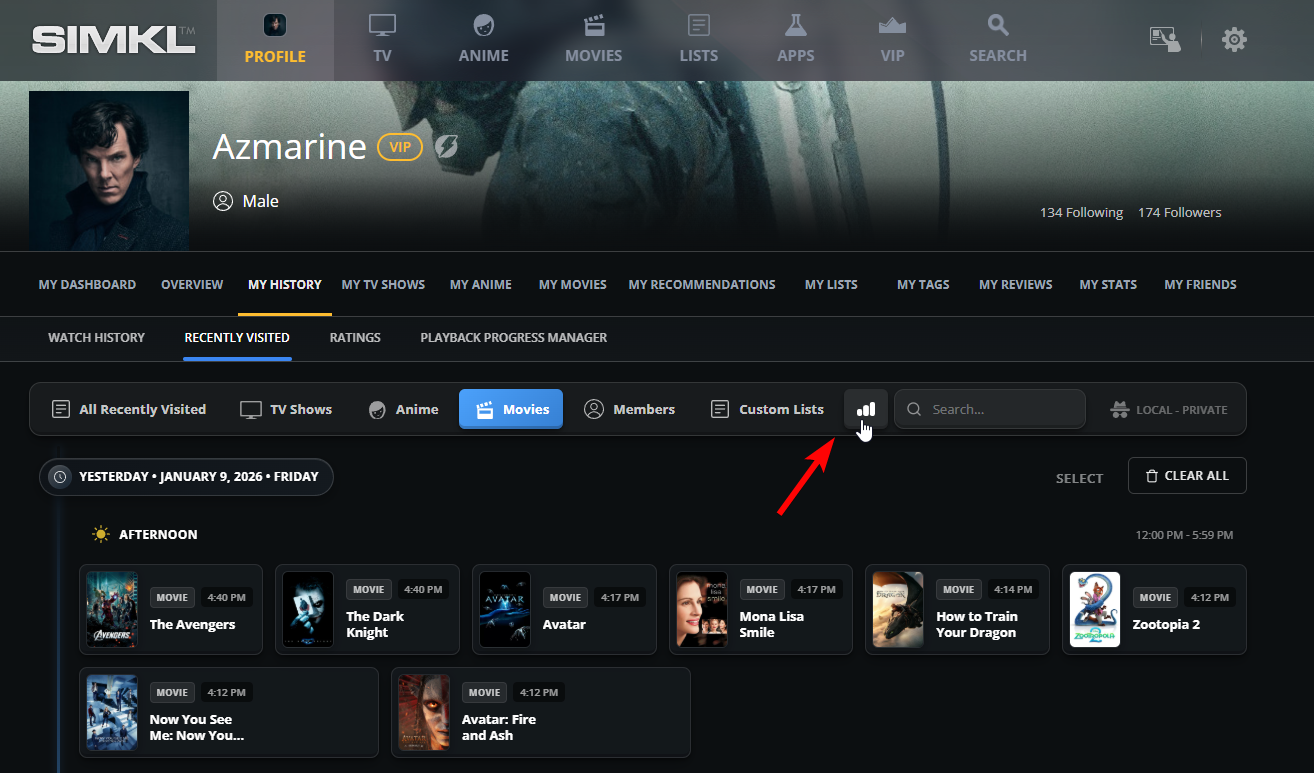
The **Recently Visited** page is SIMKL’s private, device-level browsing timeline. It is not about what you watched or viewed, it is about what you **explored**.
Whenever you open anything on SIMKL, a movie, TV show, anime, user profile, or even a custom list.
It logs into a private, device-local browsing timeline. This creates a powerful personal log of your discovery journey across SIMKL.
This solves one of the most common problems users have while browsing:
> “I saw something interesting earlier… but I don’t remember what it was.”
Instead of guessing, searching again, or digging through your browser history, SIMKL gives you a **platform-aware browsing history** designed specifically for entertainment discovery.
{% hint style="info" %}
### Your Recently Visited History: Is **Private & For Device-Only (Local)**
If you open SIMKL on another browser or computer, your Recently Visited list will be empty there.\
If you clear your browser data (cookies, local storage), this history is erased automatically.
* **Saved only on the current device (Browser)**
* **Not synced across browsers**
* **Not synced across devices**
* **Not visible to anyone else**
This design guarantees **complete privacy,** nothing you browse here becomes part of your public SIMKL profile.
> A SIMKL-only browsing history, separate from your regular browser history.
> {% endhint %}
## Here:
***
## What Pages Shows Under Recently Visited?
Recently Visited includes everything you actively open on SIMKL, including:
* 🎬 Movies:
* 📺 TV Shows:
* 🍿 Anime:
* 📋 Custom lists:
* 👤 Member profiles:
* (Maybe more in the future...)
It is not limited to titles you watched or added, it check what you *looked at*.
{% content-ref url="/pages/2xTtDYJTy9F4mk0YcUiC" %}
[My Watch History](/how-to-use-simkl/core-features/content-tracking/tracking-content/watch-history/my-watch-history.md)
{% endcontent-ref %}
This is extremely useful when you:
* Check & Compare multiple shows
* Browse your & other members recommendation lists
* Explore franchise relations
* Research anime seasons or watch orders
Every time you open a page on SIMKL, it is saved in your local browsing timeline so you can come back to it later.
Your curiosity is captured so you can continue later.
***
### a) Organized by time and type
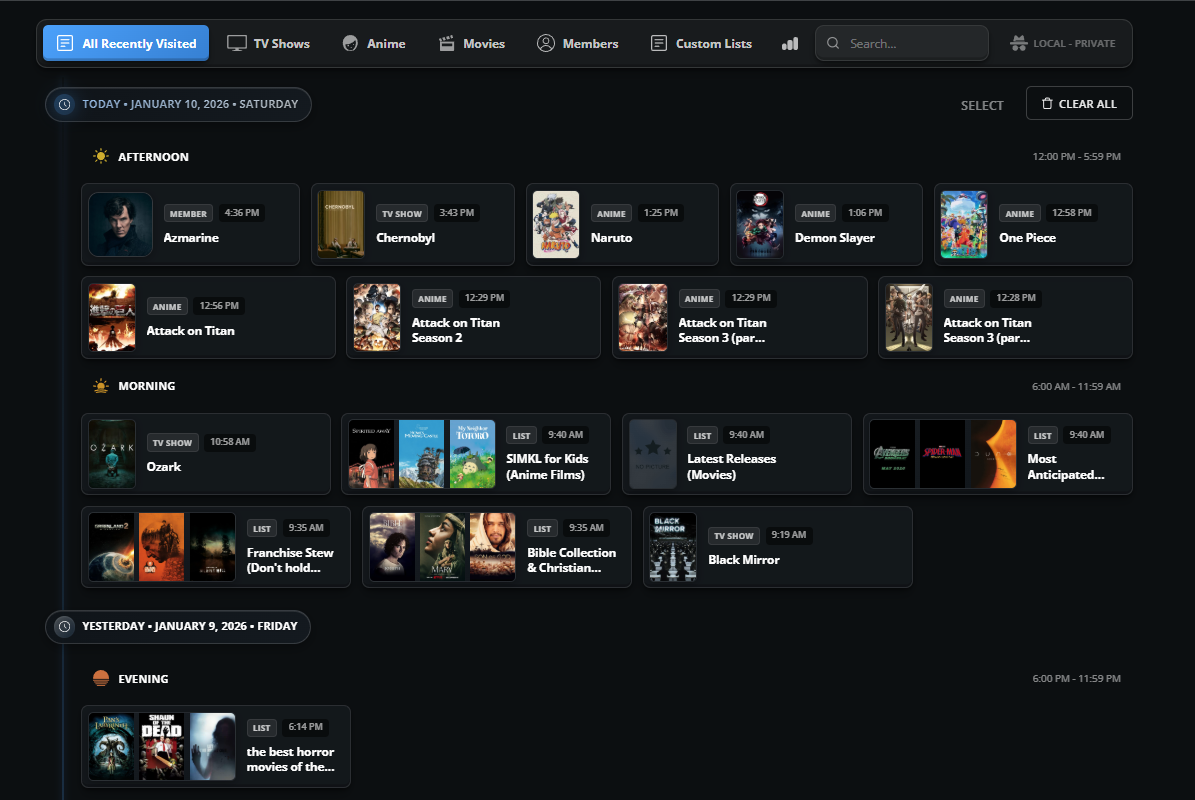
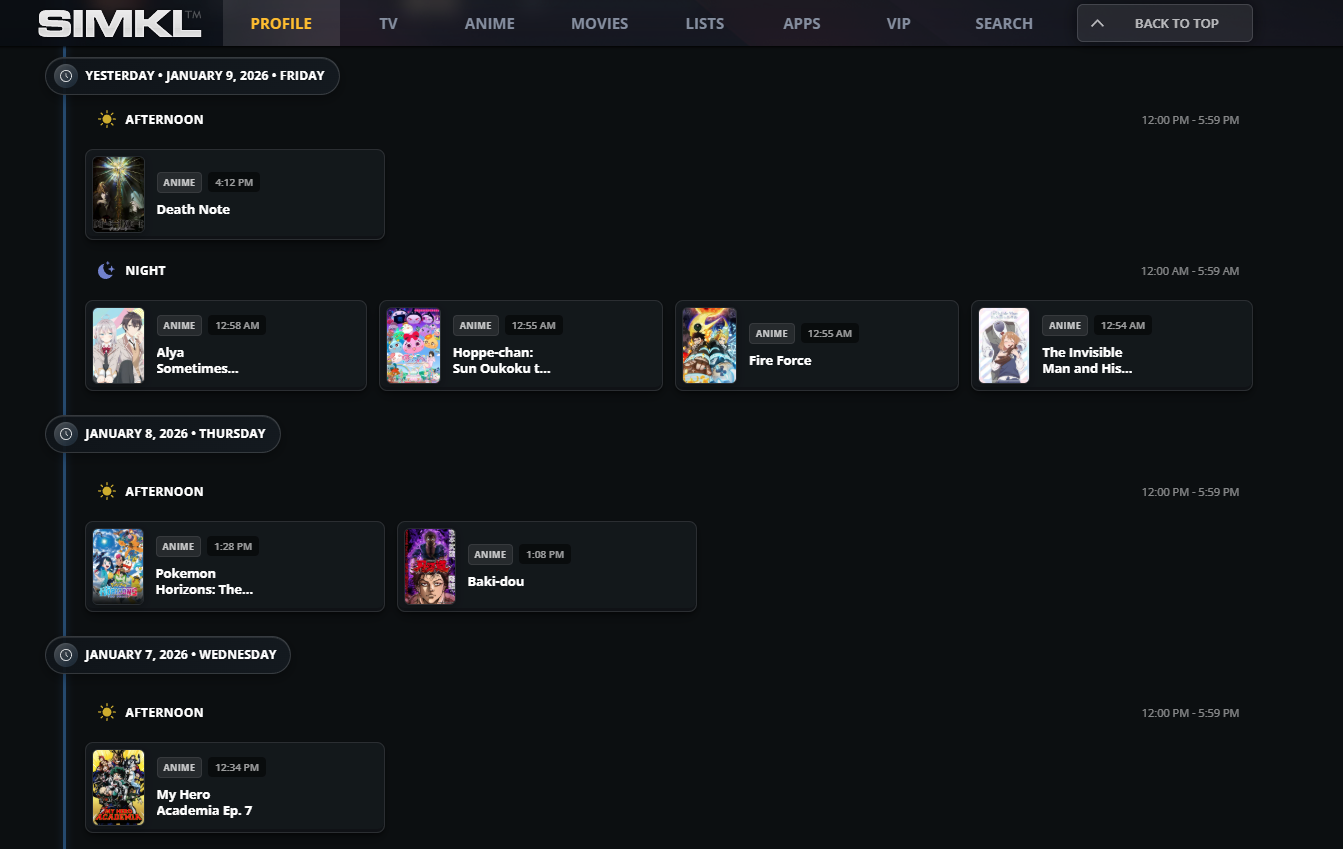
Recently Visited is displayed in a **timeline format** that makes your browsing feel chronological and human.
Items are grouped by:
* **Date** (Today, Yesterday, earlier days)
* **Time of day** (Morning, Afternoon, Evening, Night)
* **Content type** (Movie, Anime, Member, List, etc.)
This allows you to easily answer questions like:
* “What was I browsing last night?”
* “What did I look at earlier today?”
* “Which anime pages did I open this morning?”
Instead of a flat list, it becomes a **story of your exploration**.
***
### b) Smart duplicate handling (No clutter)
SIMKL does not spam your history.
If you visit the same page multiple times, it stays **unique** and always shows the **latest visit time**.
Example:
* You opened *Attack on Titan* four days ago
* You open it again today\
→ It will now appear **once**, under Today
This prevents:
* Duplicate clutter
* Repetitive entries
* Noise when revisiting favorite pages
Your Recently Visited stays clean, readable, and useful.
***
### c) Browsing Behavior Insights
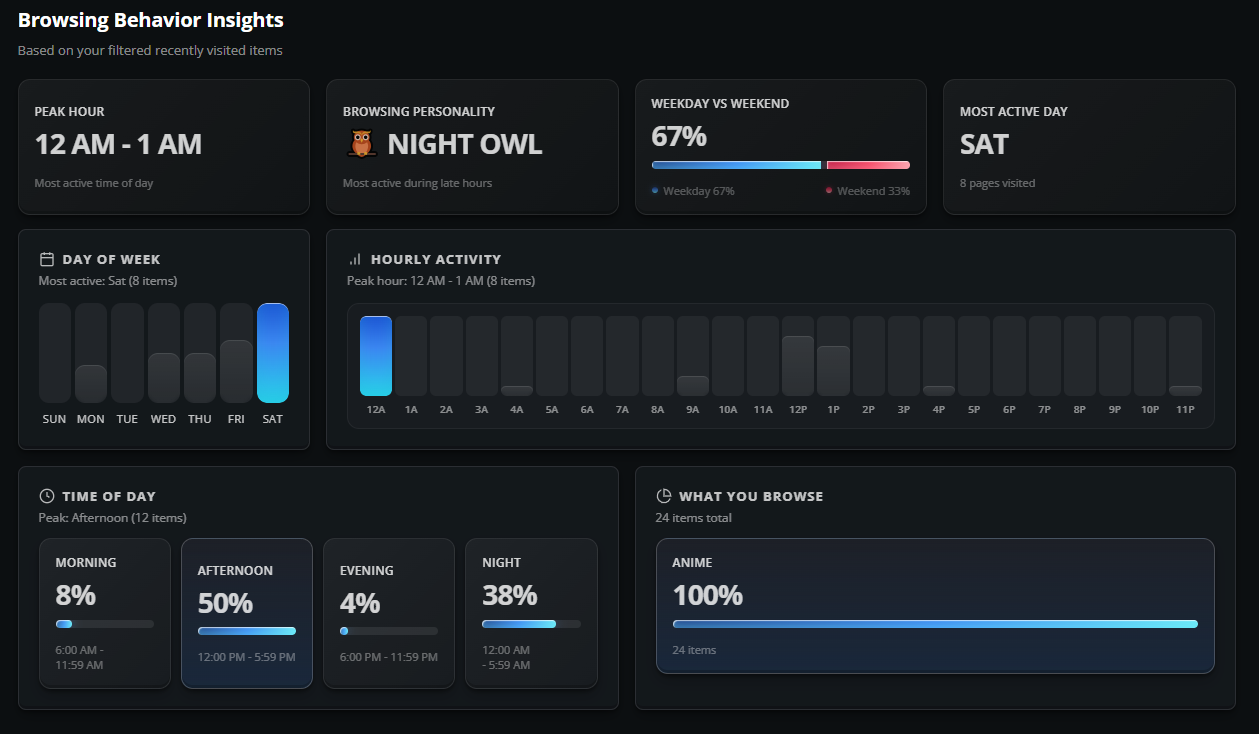
At the top of Recently Visited you can open **Browsing Behavior Insights**.
This turns your browsing history into **visual analytics**, showing:
* Your peak browsing hours
* Most active day of the week
* Weekday vs weekend usage
* Morning vs evening vs night activity
* What you browse most (TV, Movies, Anime, Lists, etc.)
This is not about watching, it is about **how you discover**.
It helps you understand:
* When you are most curious
* When you research the most
* When you usually explore new content
A powerful tool for power users, list builders, and binge planners.
***
### d) Manual control & cleanup
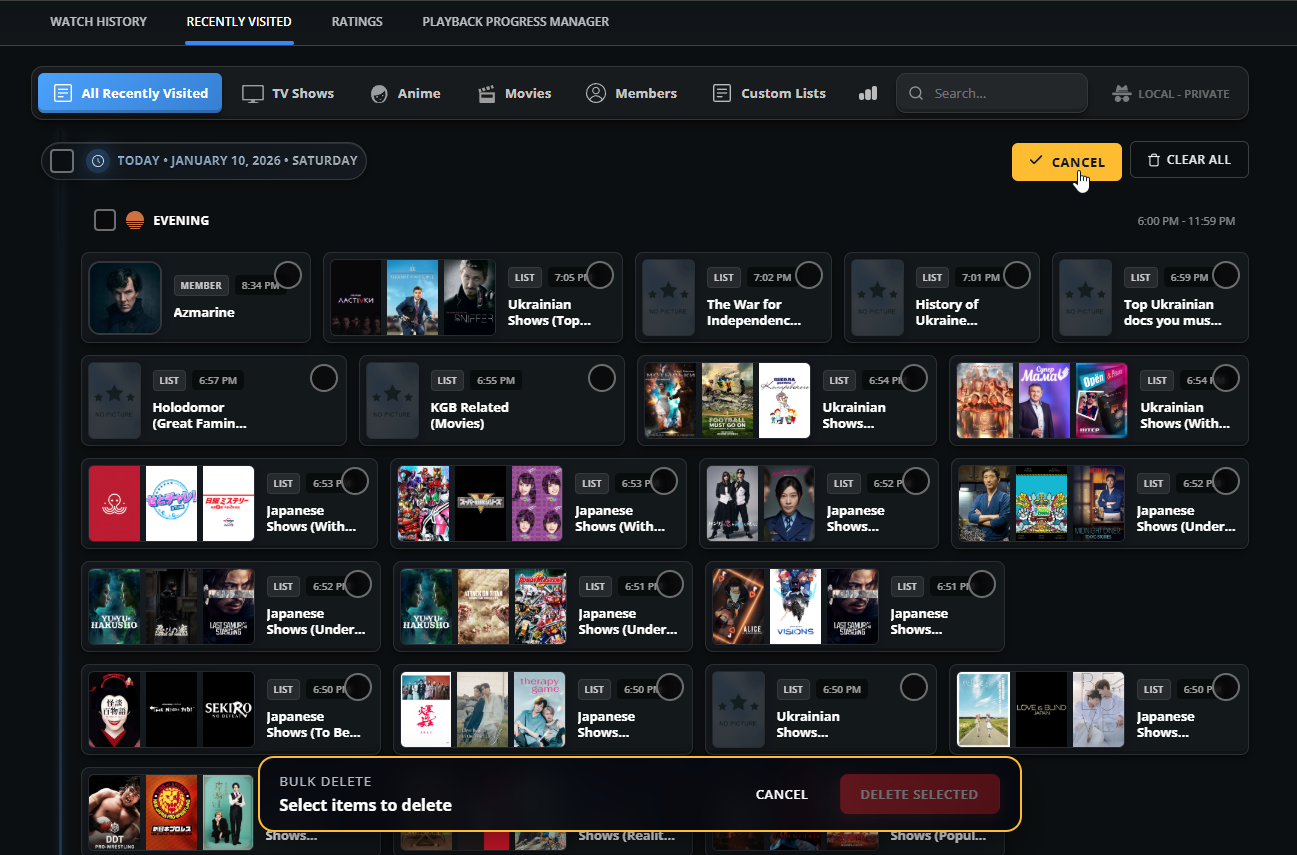
Your **Recently Visited** timeline is fully under your control. SIMKL gives you powerful tools to manage this browsing history exactly the way you want:
You can:
* Filter by Movies, TV, Anime, Members, or Lists
* Select multiple items
* Clear everything with one click
* Remove only specific types
This allows you to isolate only the pages that matter, for example, seeing only anime you explored, or only movie pages you compared.
{% content-ref url="/pages/Slp2fEknNJrGZVghwSHv" %}
[Simkl Account Cleanup & Deletion](/how-to-use-simkl/getting-started-with-simkl/account-creation/basic-account-setup/login-and-password-settings/simkl-account-cleanup-and-deletion.md)
{% endcontent-ref %}
#### **You can clear everything instantly**
With one click, you can remove your entire Recently Visited history from the current device.\
This is perfect when you want to:
* Start a fresh discovery session
* Remove old browsing trails
* Or simply reset your workspace
#### **You can remove only what you want**
Instead of deleting everything, you can:
* Delete only movies
* Delete only anime
* Remove just lists or profiles
* Or clear only selected items
This makes Recently Visited behave like a **precision cleanup tool**, not a blunt reset.
This lets you:
* Clean up research sessions
* Reset discovery
* Remove accidental visits
* Start fresh anytime
No permanent data is affected, this is purely browsing history.
***
## Why this feature is powerful
Recently Visited connects **curiosity** to **action,** it bridges the gap between **casual browsing** and **serious tracking**.
You might:
* Explore 10 anime pages
* Compare 5 shows
* Open multiple seasons
* check ratings for few movies
* Check relations
* Browse recommendations
…without adding or watching anything yet.
Later, when you’re ready to decide, SIMKL lets you **pick up exactly where you left off**.
It transforms:
> “I think I saw something cool, last week on SIMKL, but forgot to add to plan to watchlist”\
> into\
> “Here it is — exactly what I was looking at.”
That is the difference between browsing and **intent tracking**. Recently Visited is not just a log, it is a **working space** for how you explore entertainment.
***
## **Privacy FAQ**
#### **Is my Recently Visited history public?**
No. Your Recently Visited history is **100% private**. It is never displayed on your SIMKL profile, never shared with followers.
#### **Can friends or followers see what I visited?**
No. Not even mutual followers, friends, or people you share your watchlists with can see this page. It is **not a social feature,** it is a private browsing tool for you only.
#### **Can I share my Recently Visited pages with others?**
No. Recently Visited is **not shareable** by design. There is no public link, or sharing option because it is meant to remain a **private activity log**.
#### **Will it appear on my other devices?**
No. Recently Visited is **device-specific**.\
If you use SIMKL on another browser, computer, phone, or tablet, it will start with an empty Recently Visited list.
#### **What happens if I clear my browser data?**
Your Recently Visited history will be removed.\
Because it is stored locally, clearing cookies, site data, or local storage will erase it just like clearing browser history.
---
# Agent Instructions
This documentation is published with GitBook. GitBook is the documentation platform designed so that both humans and AI agents can read, navigate, and reason over technical content effectively. Learn more at gitbook.com.
## Querying This Documentation
If you need additional information that is not directly available in this page, you can query the documentation dynamically by asking a question.
Perform an HTTP GET request on the current page URL with the `ask` query parameter, and the optional `goal` query parameter:
```
GET https://docs.simkl.org/how-to-use-simkl/core-features/content-tracking/tracking-content/watch-history/recently-visited.md?ask=&goal=
```
`ask` is the immediate question: it should be specific, self-contained, and written in natural language.
`goal` is optional and describes the broader end goal you are ultimately trying to accomplish on behalf of the user. GitBook uses it to tailor the answer towards what is most useful for that goal.
The response will contain a direct answer to the question and relevant excerpts and sources from the documentation.
Use this mechanism when the answer is not explicitly present in the current page, you need clarification or additional context, or you want to retrieve related documentation sections.